How to use My Plan
STEP1
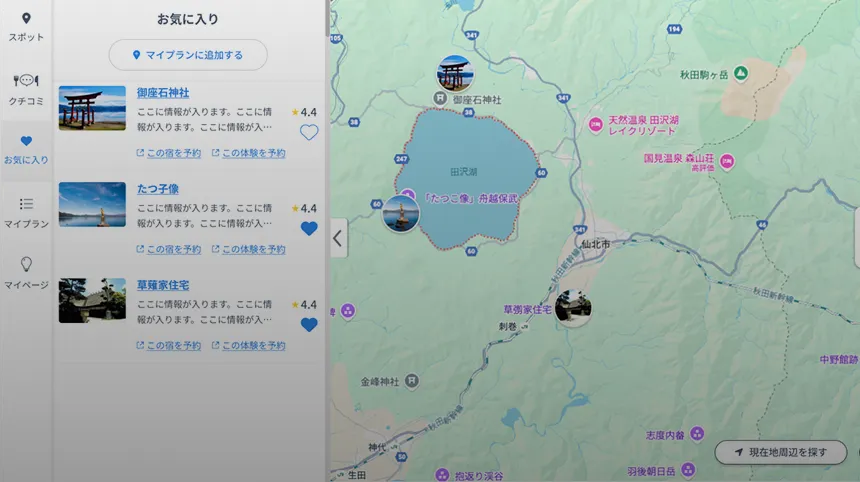
Add a spot to your favorites
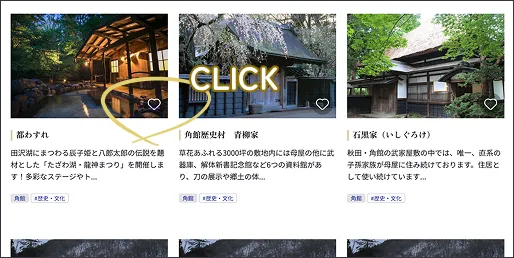
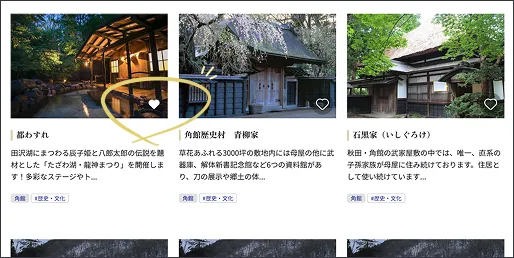
Click the heart icon to add to your favorites.
STEP2
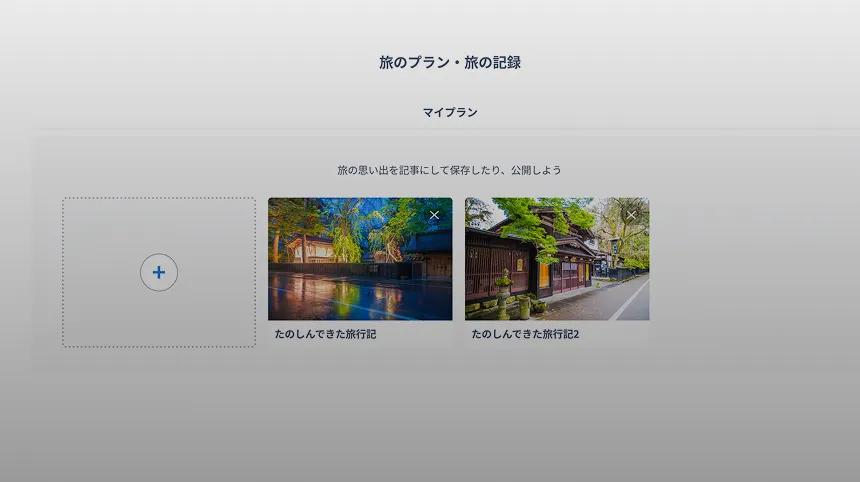
Choose spots from your favorites list and create your own plan
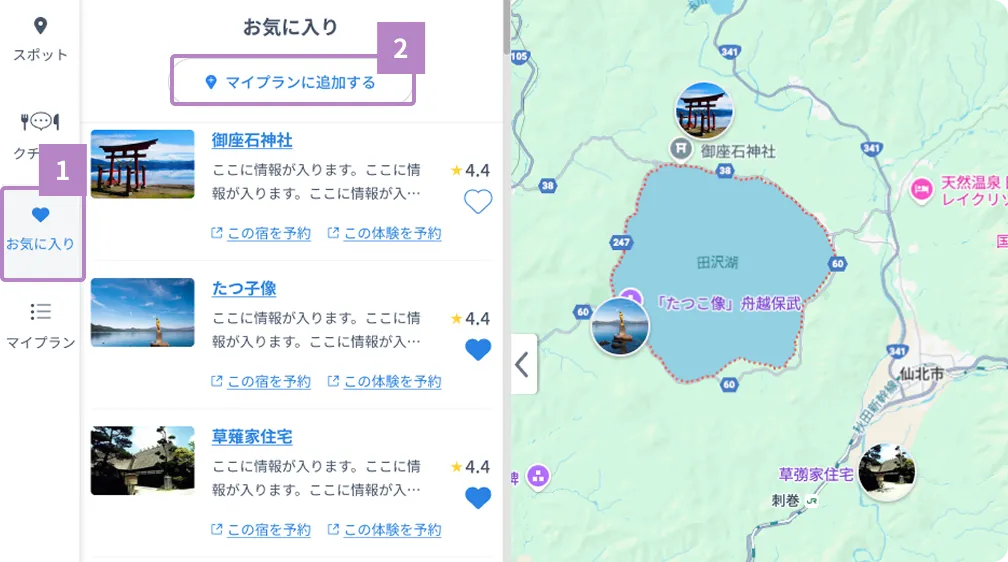
You can create your own plan by selecting the spots you want to add from "Favorites List" > "Add to My Plan."
On the My Plan Edit screen, you can change the order, departure time, and stay time.
If you want to add more spots, you can search for and add spots from the categories at the top of the map on the editing screen.
-
1 View your "Favorites List"
On a PC screen, you can access it using the floating button on the right.
On a smartphone screen, you can navigate using the fixed button at the bottom.2 Press the "Add to My Plan" button
-
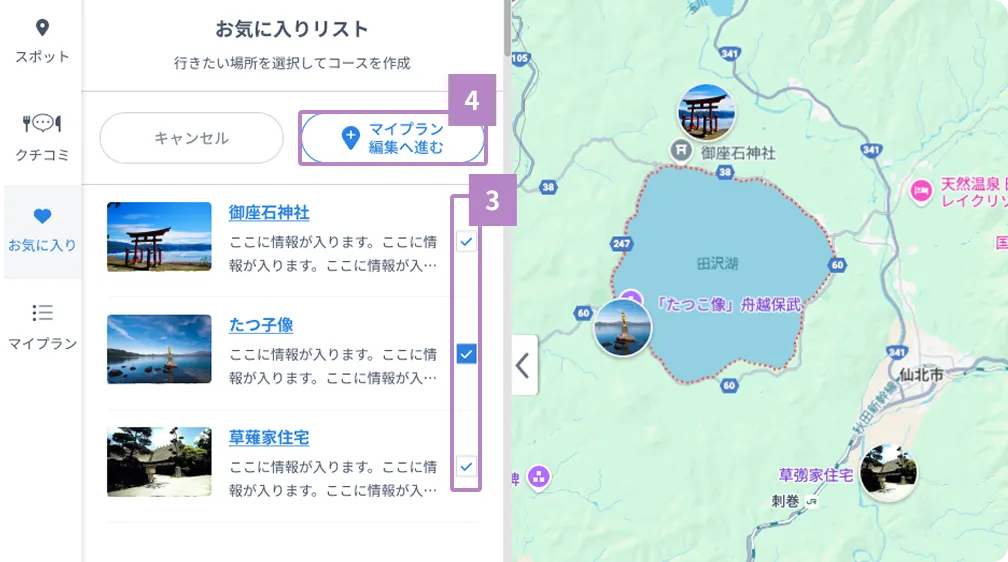
3 Select the spot you want to add to My Plan
4 Press the "Proceed to Edit My Plan" button
-
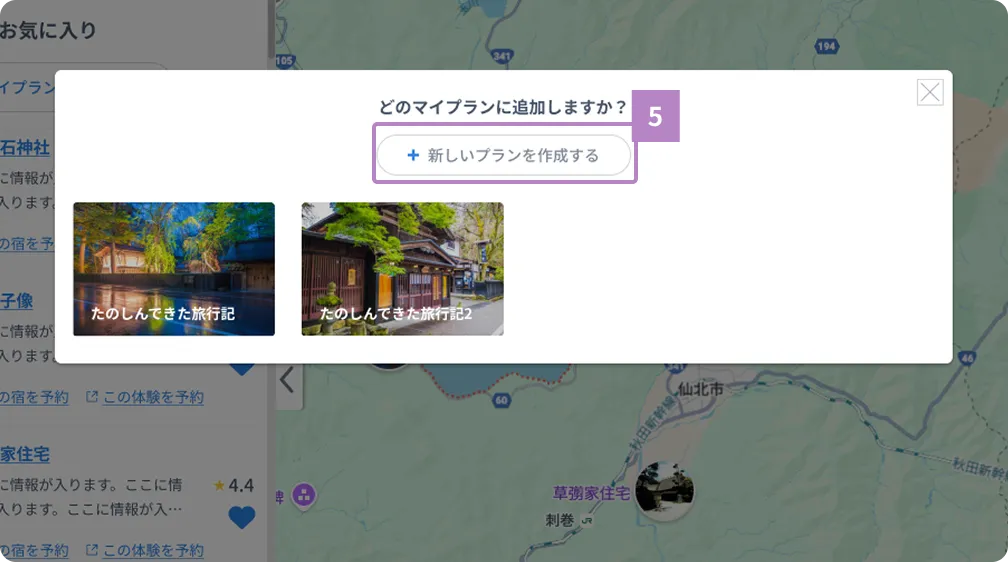
5 Create your own plan by clicking the "Create a new plan" button.
Tip
You can change the order, departure time, and stay time.
On the My Plan Edit screen, you can change the order, departure time, and stay time. If you want to add more spots, you can search for and add spots by pressing the category button at the top of the map on the My Plan Edit screen.






.jpg)